Create Account in Seller App
To get started with this guide, you'll first need to install the Araati App.
Android: Download from Google Play
iPhone (iOS): Download from the App Store
If you already installed our seller app, please continue to…
Watch Video or continue reading below
Create Your Seller Account
1️⃣ **Enter Seller information
Enter your full name, mobile number, email address, and password.
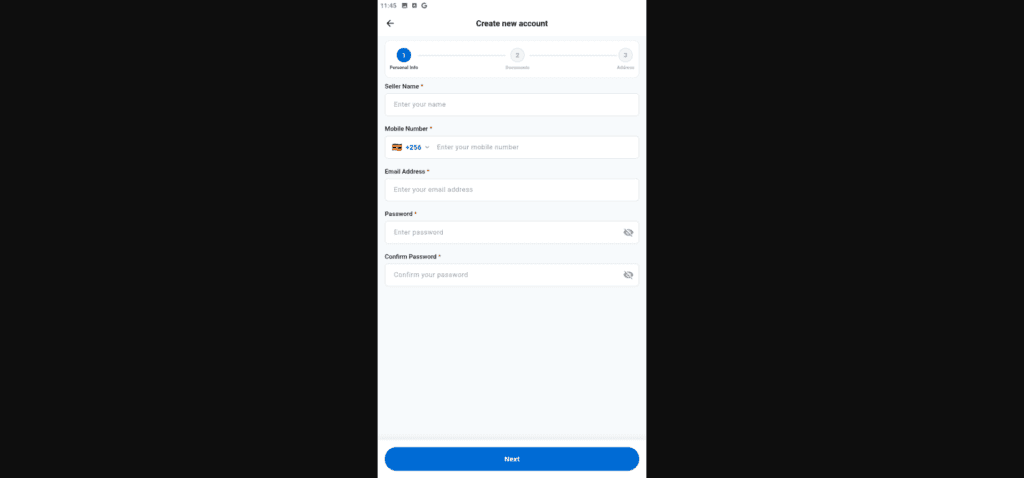
Tap Next.
2️⃣ **Verify your business.
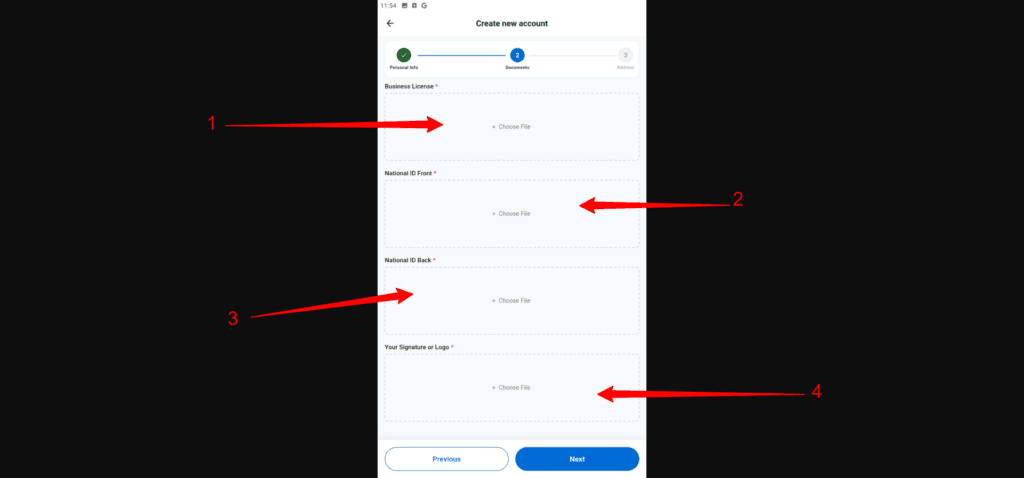
Upload the following:
- Your Business/Trade License
- Front side of your national ID
- Back side of your National ID
- A clear photo of your signature or your business logo.
Note: Your signature or business logo will appear on customer invoices.
3️⃣ **Enter your business address.
You can:
Select your location on the map.
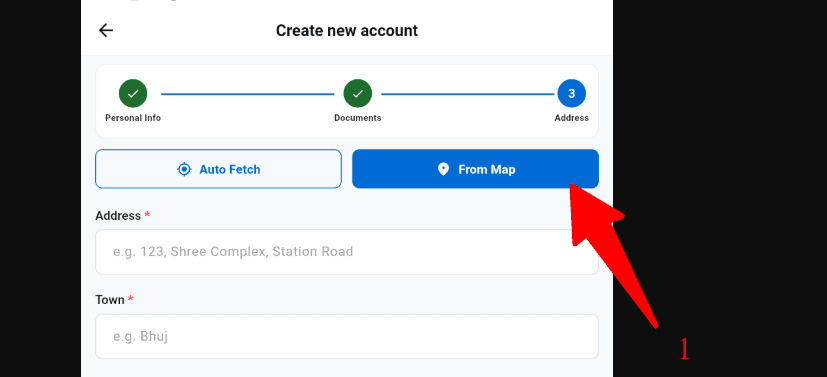
How to select from Map
Use Auto Fetch (make sure you're physically at your business location).
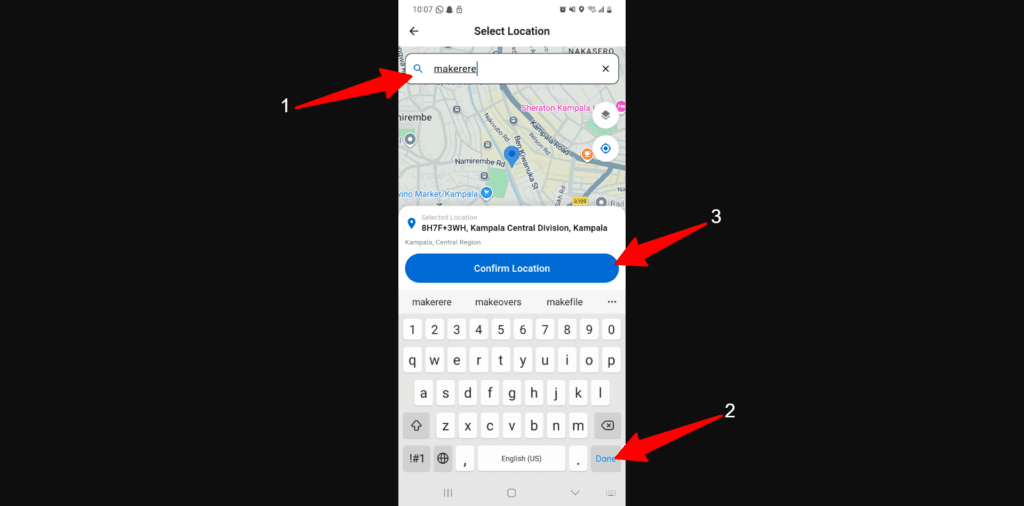
- type your store location
- Press enter or Done (Araati will search and find your store location)
- Tap on confirm location
✍️ Enter your address manually if needed.
Once you've completed these steps, submit your application and wait for your seller account to be reviewed and approved.
Before you start selling, you need to select a plan and add your store.